Customers and vendors
Know who you work with, and what each relationship is worth
Your customer list lives in one tool, your vendors in another and the numbers in a third. In Economico they are the same records: each customer, vendor and investor sits beside the agreements, invoices and payments that define the relationship.
Recent changes
A contact list cannot tell you what a customer is worth
A CRM knows the name, the email and the deal stage. It does not know that the customer signed an annual plan, has two invoices open and costs you a fixed amount in infrastructure each month. When those facts live in different tools, someone has to stitch them together before every pricing call, renewal or investor question, and nobody does it often enough.
The agreement puts each party in the right list
Your agent records customers, vendors and investors with their addresses and contacts. An agreement can declare the role each party plays (founder, employee, investor, customer or vendor), and when it is accepted those roles put each party in the right relationship list, without anyone maintaining tags by hand. You can also mark a related party, such as a founder's other company, and the marker follows that party onto claims and aging reports.
 Your agent × Economico
Called 3 Economico tools
Economico
parties · get
✓
Acme Cloud: customer, two contracts
Economico
reports · party_contract_values
✓
Committed contract value
Economico
reports · aging
✓
Open and overdue invoicesContract value, uninvoiced amounts and vendor cost, per party
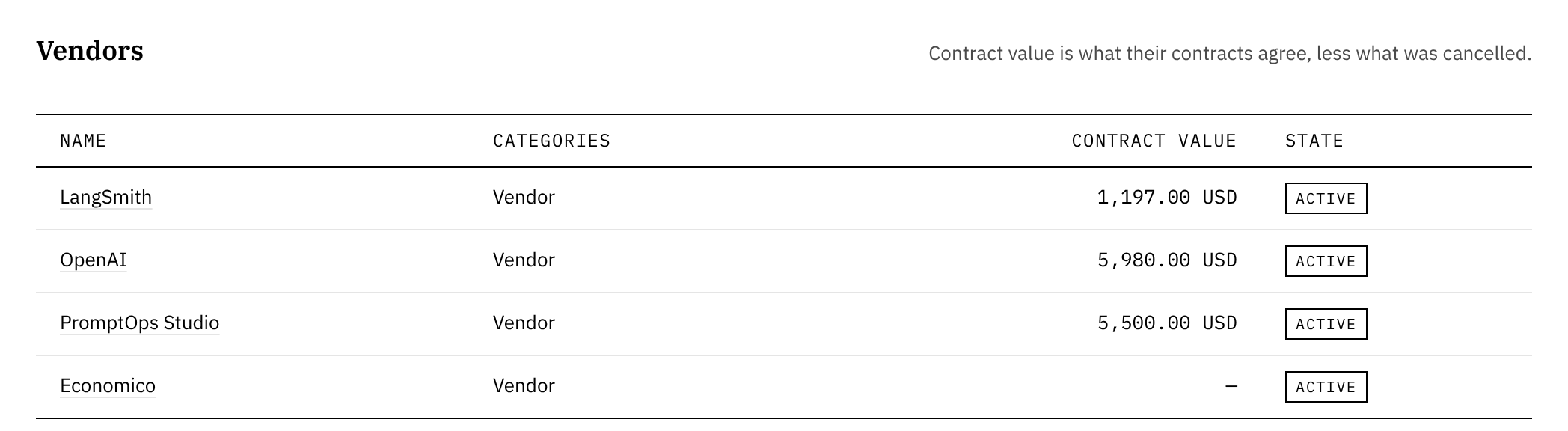
The Customers and Vendors lists show each party's contract value: what a customer has agreed to pay you, and what you have agreed to pay a vendor, following price changes, refunds and credit notes. Someone who is both shows each side on its own list, never added together. A contract shows what is still to invoice against its known commitment. A vendor's page shows its share of your cost of revenue. When a value depends on future usage or a rate that is not known yet, Economico leaves it unconfirmed instead of guessing.
What it is not
This is the relationship record your books need, not a sales pipeline. There are no deal stages, email sequences or activity logs, and Economico keeps the current state of each relationship rather than a dated history of its changes. If another business on Economico is one you work with, you can connect the two and message each other from your agents.
Connect your agent
Start with your best customer
Have your agent record one customer and their agreement, then read the relationship from the books.